Order Management
Know where every installation stands, from order to review
Once an order leaves checkout, most retailers lose sight of it. The status sits with a subcontractor, the tracking sits in a spreadsheet, and the customer calls you to ask what is happening. In Done, every order has a live status that your team, the installer and the customer all see.
Job steps
Each job type follows its own steps
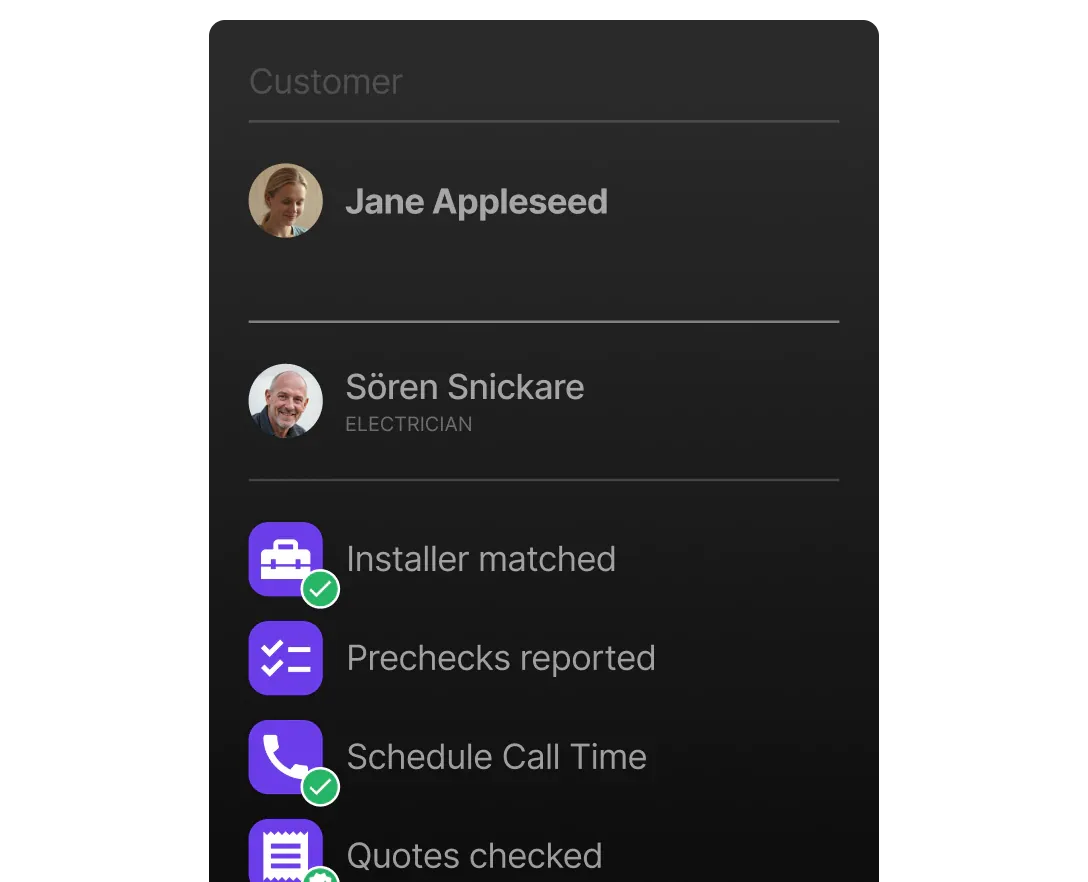
An EV charger install, a heat pump replacement and an annual service visit don't follow the same steps, so they shouldn't share one checklist. You define the sequence of events per job type. Anyone on your team can open a job and see where it stands and what happens next.
- Event sequences defined per job type
- Every status change timestamped and visible to the whole team
- The same status shows in the customer and installer apps
Built for hundreds of open jobs
When a customer calls, their job should be on your screen before they finish the sentence.
Orders from the API or by hand
Orders arrive through the Partner API or are created in Backoffice. Either way, they land in the same order book.
Search, filter and sort
Slice the order book by status, job type, region, installer or date, and pull up the job a customer is calling about in seconds.
Map and calendar views
See where and when jobs happen. Spot regional pileups and free capacity without exporting anything.
Your order numbers
Each order keeps the reference ID from your webshop or ERP, so support can find a Done job by your own order number.
Delivery status
Hardware delivery status shows on the job, so you can check that the charger has shipped before you lock a date.
Article groups and price lists
Set up article groups and price lists per partner, so every job carries the right products at the right prices.
Done Inbox
Jobs that need a decision come to you
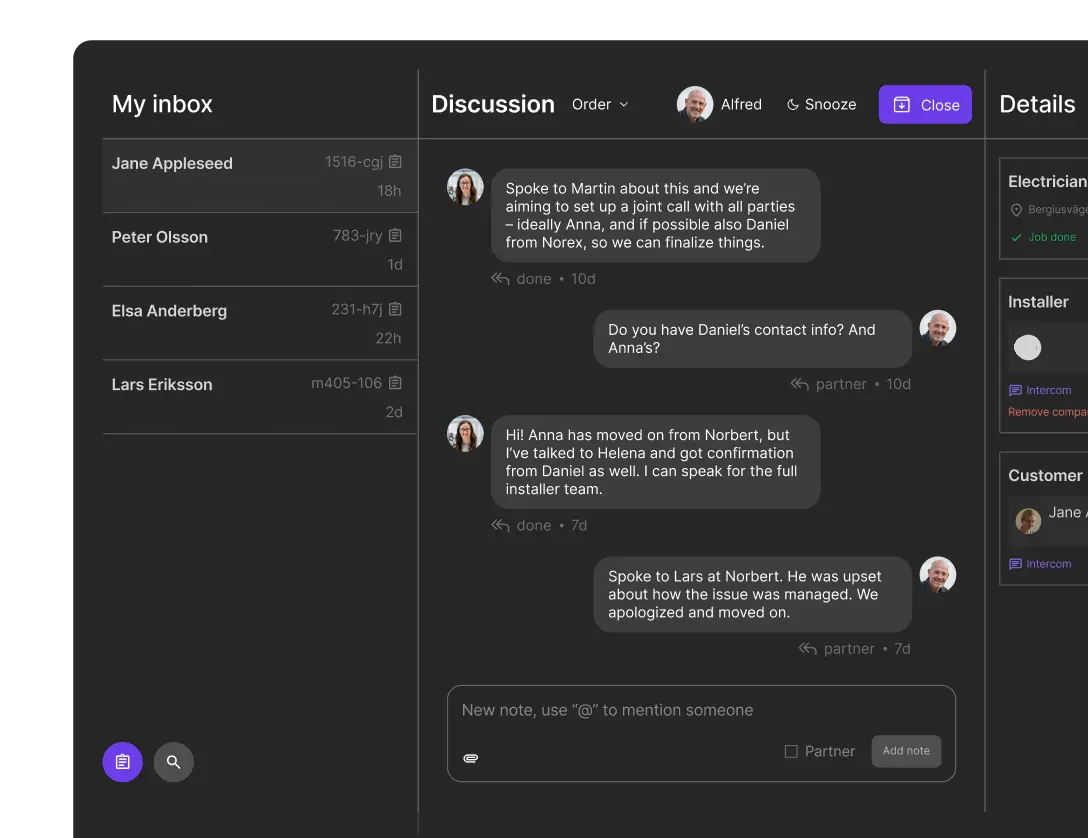
You shouldn't have to scan hundreds of orders to find the three that are stuck. Done Inbox works like a ticketing system tied to jobs. An unanswered customer, a stalled booking or a flagged photo becomes a case in a queue your team works through.
- Exceptions surface on their own instead of hiding in lists
- Each case links straight to the job, with its full history
- Clear ownership per case, so nothing is handled twice or not at all
What changes
Retire the status spreadsheet
Most teams come to Done with a status spreadsheet, a shared mailbox and a weekly meeting to reconcile the two. Here is what the work looks like afterwards.
- Order status updates itself as the job moves
- Installers report progress in the app instead of on the phone
- Customers stop calling to ask where their installation stands
- Webshop orders arrive without anyone retyping them
- A job's full history sits on the job, not in email threads
- Status meetings shrink to the exceptions
Your team's time goes to the jobs that actually need a person.
Frequently asked questions
Keep exploring
See your whole order book in one place
We'll walk through an installation from order to review, set up with your job types and price lists.
Contact sales